PitLane: Turn Your GoPro Trackday Footage Into a Real Race Broadcast
Every trackday video looks the same
You strap the action cam to the roll cage, do your sessions, get home buzzing, and download the footage. And then… it’s just a video. A good one, maybe — nice sound, a few close calls — but it doesn’t tell you how fast you were going into that hairpin, or how hard you were braking, or which of today’s five laps was actually your best.
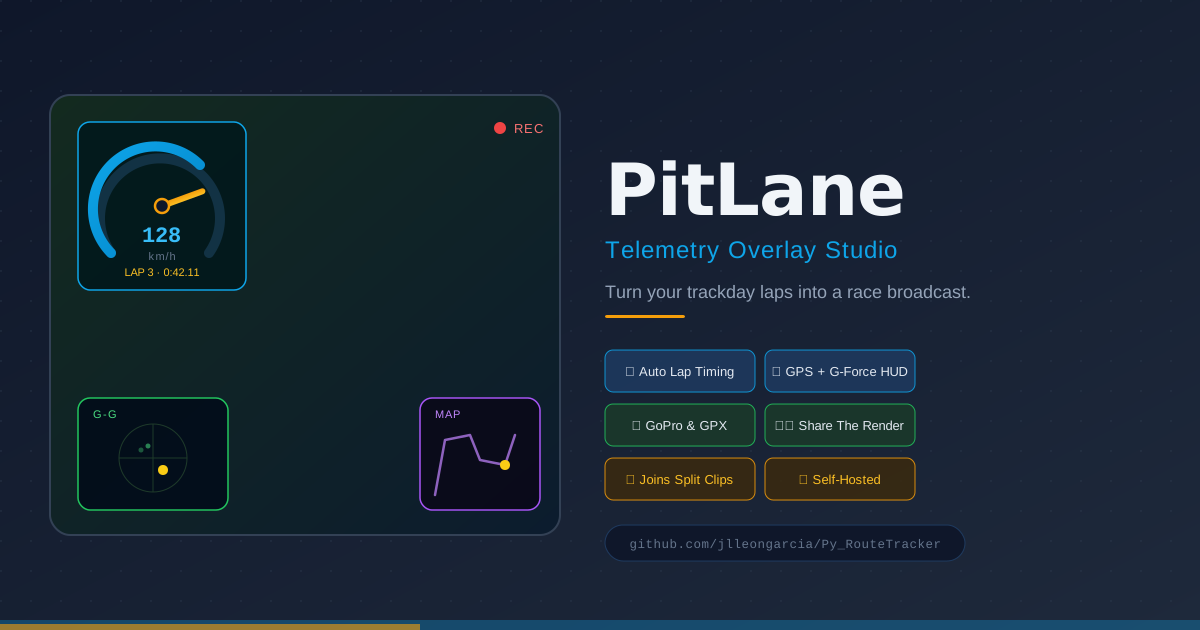
The broadcast teams have had this solved for decades: a speed readout in the corner, a little track map showing where the car is, a trace of lateral and longitudinal g-force. It looks brilliant, and it turns “here’s my lap” into something you can actually study — or just show off.
PitLane brings that to your own footage, for free. Drag in a clip from a GoPro (or any action cam), point it at your GPS track, and it hands back the same video with a proper race HUD burned in — automatically split into laps, no video editing skills needed. And as of this rewrite, it does the whole thing entirely inside your browser tab: nothing is uploaded, nothing sits on a server, and once you’ve loaded it the first time it keeps working with no internet connection at all.
How it works, in three steps
- Upload your footage — GoPro clips carry their own GPS/accelerometer data embedded in the file, so that’s all PitLane needs. Riding something else, or want to pair a phone/Garmin GPS track instead? Drop in a
.gpxfile alongside the video and it’ll sync the two automatically. - Trim and pick your widgets — scrub to the section you actually want (nobody needs the ten minutes of pit-lane trundling before the session starts), and toggle which HUD elements you want drawn.
- Download — PitLane composites the HUD directly onto your real footage and hands back one finished MP4.
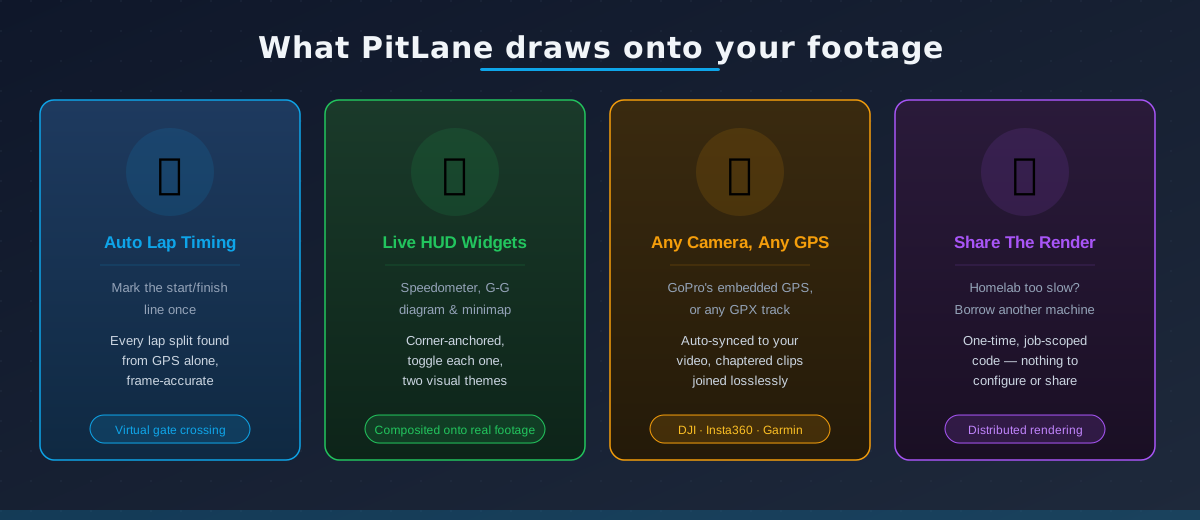
| Widget | What it shows |
|---|---|
| 🏎️ Speedometer | Live speed, styled like a real gauge cluster |
| ⏱️ Lap info | A live chronometer for the current lap, plus your last completed lap time |
| 📍 G-G diagram | Lateral vs longitudinal g-force — how hard you’re braking, accelerating, and cornering, all at once |
| 🗺️ Minimap | Your position on the track, live, with a trail of where you’ve just been |
Once you’re back at the lap table, you can also pick any two laps and pull up a side-by-side speed comparison chart — handy for seeing exactly where lap 4 beat lap 6.
It knows where your laps start and end — automatically
This is the bit that makes PitLane feel less like a video filter and more like a real timing system: you never tell it where each lap ends. You mark the start/finish line once — by clicking a point on the map, or even by pointing at a moment in the video — and PitLane works out every lap boundary itself from the GPS track alone.
Under the hood it’s watching for the vehicle to pass through a small zone around that point, then works out the exact instant it crossed an imaginary finish line through it — not just “which GPS sample happened to be closest,” which on a real circuit can be a few hundred milliseconds off depending on how the track approaches the line. That’s the difference between a lap split that’s roughly right and one that’s frame-accurate enough to actually compare lap to lap.
This whole detection pipeline used to be a Python module running on the server. It’s now a straight TypeScript port (lib/laps/detection.ts) that runs in your browser instead — same crossing-resolution algorithm, same heading-estimation logic, same test suite ported alongside it. The maths didn’t change; where it runs did.
Once it has those crossings, every lap gets its own row in the app — duration, average speed, top speed — so you can see at a glance which lap of the session was your quickest, before you even render anything.
Nothing leaves your device
This used to be a story about deletion: PitLane wasn’t a video-hosting service, so whatever you uploaded got swept off the server automatically after an hour. That story doesn’t exist anymore, because there’s nothing to sweep — your video is never sent anywhere in the first place.
Every step — trimming, joining split recordings, extracting telemetry, detecting laps, drawing the HUD, encoding the final file — runs inside the tab you already have open, using WebCodecs to decode and encode video, Canvas2D to draw each HUD frame, and mediabunny to mux the result back into an MP4. GoPro’s embedded GPS/accelerometer track is pulled out client-side too, via gpmf-extract and gopro-telemetry — the same libraries the server used to call out to, just running in JavaScript in front of you instead of on a machine you can’t see.
The rendering work itself happens in a dedicated Web Worker (workers/renderWorker.ts), so the main thread — and your progress bar — stays responsive on a long clip instead of freezing the tab.
On Chromium browsers, the finished file streams straight to disk as it’s produced, via the File System Access API (showSaveFilePicker), so a multi-gigabyte render is never fully buffered in memory. Firefox and Safari don’t support that API yet, so there PitLane falls back to buffering the result as a Blob and handing you a normal download link once it’s done.
The upshot: the backend that used to run all of this — FastAPI, matplotlib, ffmpeg, a job queue, a cleanup sweeper — is gone. What’s left is a plain static-file server with nothing to install, nothing to secure, and nothing left over on disk after you’re done.
Install it like a real app
PitLane is now a Progressive Web App. Open it in Chrome, Edge, or a Chromium-based mobile browser and you’ll get an install prompt (or use the browser’s own “Install app” entry); iOS Safari doesn’t support programmatic install prompts, so it gets a one-time “tap Share, then Add to Home Screen” card instead.
Installed, it opens in its own window with no browser chrome, gets a real home screen/dock icon, and — since every feature already runs client-side — keeps working fully offline after the first load. No server round-trip is needed to upload, extract, detect laps, render, or download anything; the only thing a network connection buys you afterwards is checking for a newer version, which shows up as a small “reload to update” toast rather than swapping code out from under you mid-render.
Built for go-karting, trackdays, and anything with a GPS
PitLane doesn’t care what you’re driving. Kart, hot hatch, trackday special, even a bicycle on a closed circuit — if it produces a GPS trace, PitLane can turn it into a HUD.
- GoPro owners get the easy path: the camera already records GPS and accelerometer data alongside the video, so there’s nothing extra to carry. (Worth knowing: PitLane reads that speed data carefully rather than blindly re-scaling it — an earlier bug class in overlay tools like this is silently multiplying an already-converted speed value by the wrong factor, which quietly inflates every reading by roughly 3.6×. Not fun to discover mid-way through bragging about your top speed.)
- Everyone else — DJI, Insta360, an older GoPro, or a phone/Garmin/Polar strapped to the dash — just needs a
.gpxtrack from the same session. Give PitLane the video’s real-world start time and it lines the two up for you. - Chaptered recordings — if your camera splits a long session into multiple files once it hits a size limit (a common GoPro habit), PitLane can join them back into one clip before extracting anything. That join is now done client-side too, via
mp4box.js: a lossless, container-level concatenation where every track — including the GoPro’s embedded GPMF telemetry track — carries over verbatim, which a naive re-encode join (or most video editors) would otherwise drop. GoPro chapter numbering is auto-sorted; mismatched files (different codec/resolution/frame rate) are rejected up front with a clear error.
Under the hood
| Layer | Technology |
|---|---|
| Backend | FastAPI (Python) — a plain static-file server, nothing more |
| Frontend | React + TypeScript + Vite |
| PWA / offline | vite-plugin-pwa (Workbox service worker), prompt-based update flow |
| Telemetry parsing | gpmf-extract + gopro-telemetry (GoPro GPMF) and a ported gpxpy-equivalent parser for external GPX — all in-browser |
| Lap detection | TypeScript port of the original crossing-resolution algorithm (lib/laps/detection.ts) |
| HUD rendering | Canvas2D, drawn frame-by-frame in a Web Worker |
| Video decode/encode/mux | WebCodecs + mediabunny |
| Lossless clip joining | mp4box.js — container-level concatenation, telemetry track preserved |
| Large-file output | File System Access API (streamed) on Chromium, Blob download fallback elsewhere |
| Deployment | Docker, multi-arch (works on a Raspberry Pi as well as a full server) |
Try it
PitLane is self-hosted at heart — it runs on my own homelab, not on someone else’s cloud — but since every feature is client-side anyway, there’s no harm in exposing it publicly too: it’s live at pitlane.box2overtake.com. Open it, drag in a clip, install it to your home screen if you like it — your video still never leaves your device, the tunnel only ever carries the app’s own JS/CSS/HTML.
Prefer to run your own instance? It’s completely open source, and the backend it ships with is now so light there’s barely anything to build:
docker compose up --buildThen open http://localhost:7000, drag in your first clip, and see what your driving actually looked like — or install it as an app and skip the browser entirely next time.
If you run it on a machine that’s part of your Tailscale network, it’s reachable from any other device on the tailnet at http://<your-machine's-tailscale-ip-or-MagicDNS-name>:7000 with no extra Docker networking to configure — just make sure your host firewall allows inbound connections on port 7000 from the tailscale0 interface.
The full source, including the CI pipeline that publishes ready-to-run images for both x86 and ARM, is on GitHub.
You already know how fast you went. Now you can prove it — and it never left your device.
Last modified: 19 Sep 2026